Query Builder
To build Scan or Query expressions, you can use the Query Builder.
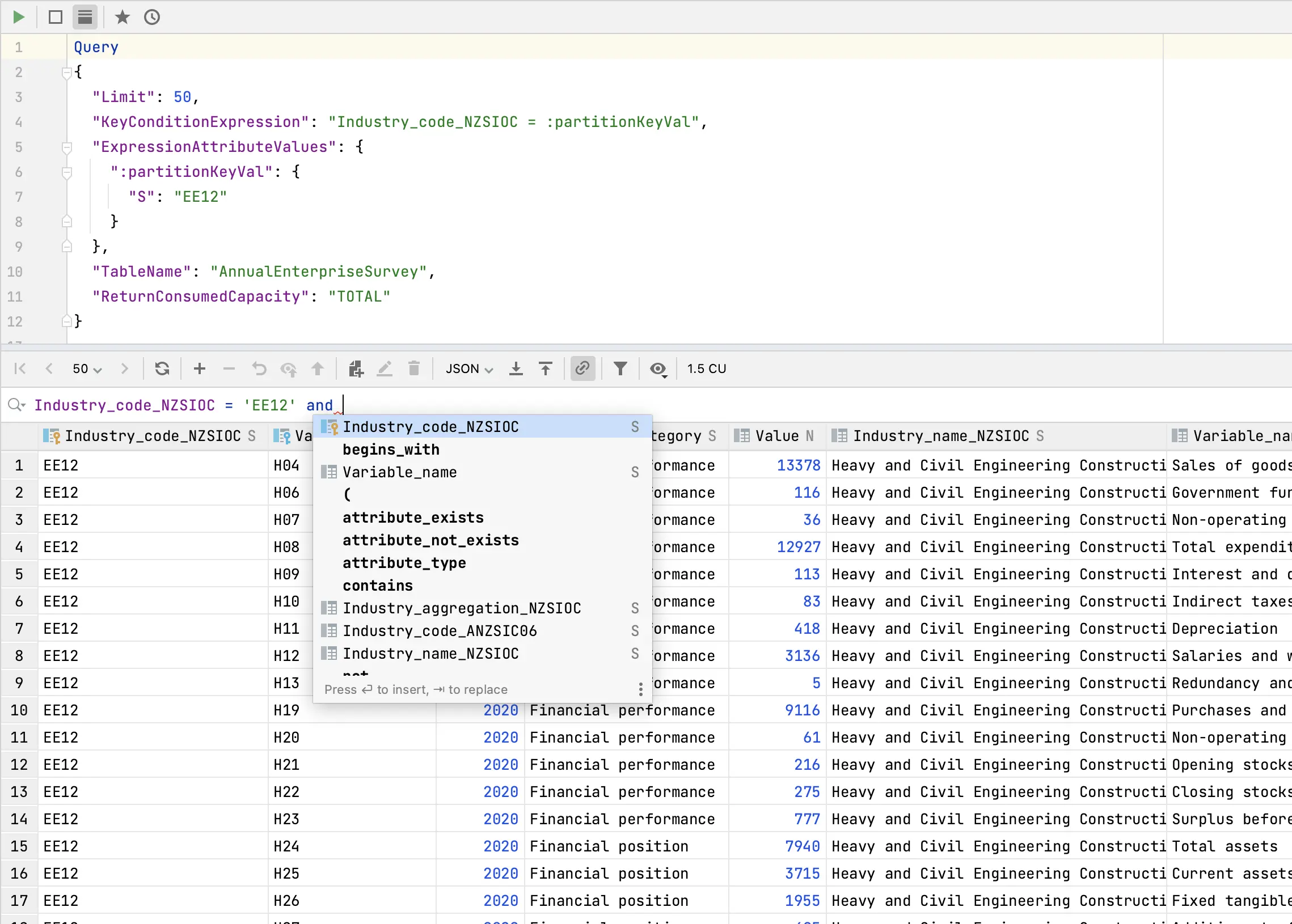
Write expression in the Query Builder and press ⏎ to execute it. If query synchronization  is enabled, the expression will be applied to the query in the editor.
To write query, use the following syntax:
    condition-expression ::= attribute comparator value
        | attribute BETWEEN value AND value
        | attribute IN (value, value...)
        | function
        | condition AND condition
        | condition OR condition
        | NOT condition
        | ( condition )
    comparator ::= = | <> | < | <= | > | >=
    function ::= attribute_exists (attribute)
        | attribute_not_exists (attribute)
        | attribute_type (attribute, type)
        | begins_with (attribute, substr)
        | contains (attribute, value)
        | size (attribute)
    value ::= 123 | 'string' | false | true
    attribute ::= map.list[0] | "map"."list"[0]
    type ::= N | S | BOOL | NULL | B | L | M | NS | BS | SS
    substr ::= 'string'
To force using Scan operation, use the following syntax:
scan-expression ::= scan condition-expression
To force using Query operation, use the following syntax:
query-expression ::= query table-or-index [asc|desc] condition-expression
If no operation is specified, the most efficient possible operation and index will be determined automatically.